How does email work in Medal Social?
Branded templates, campaigns to living segments, and automated sequences through Flows, with every open and click landing on the contact timeline.

On this page
The three pieces
Templates: reusable designs in your brand, per language.
Campaigns: one send to a segment, tracked end to end.
Sequences: automated emails that Flows send when something happens.
Everything lands on the timeline
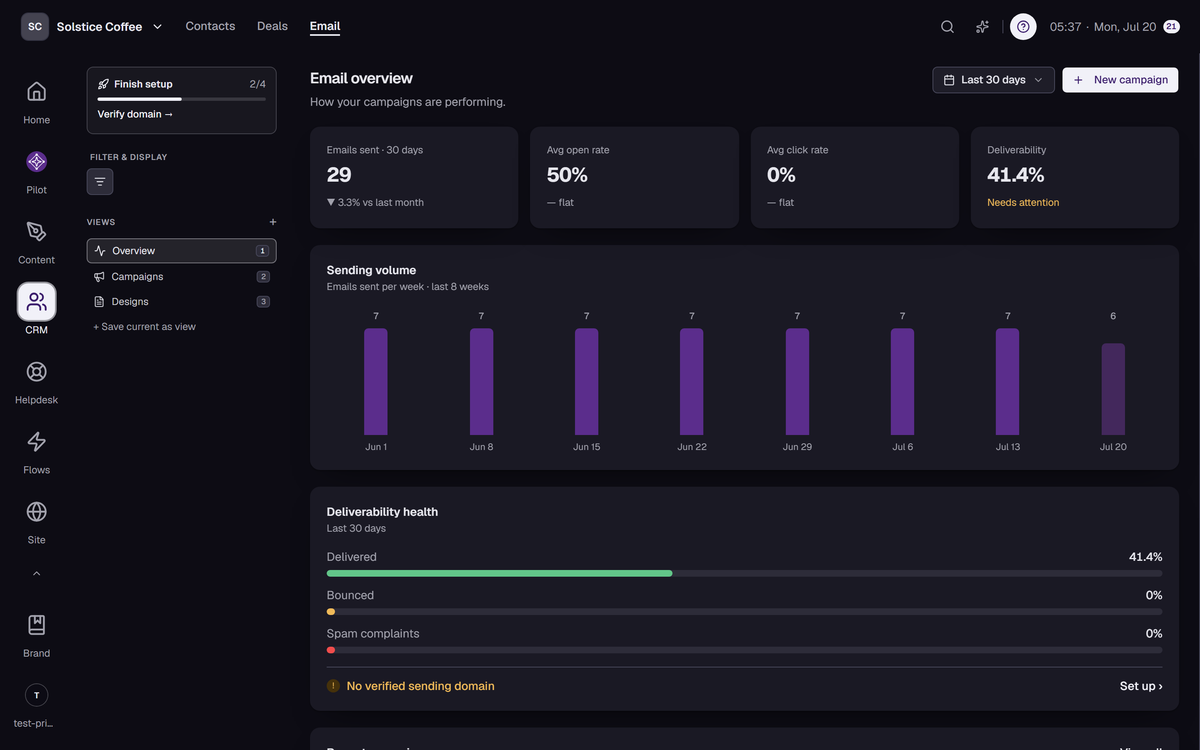
Sent, opened, clicked, replied, bounced, unsubscribed, complained: each event is recorded on the contact it belongs to, so email history and CRM history are the same history.
Deliverability is guarded for you
Hard bounces and complaints are suppressed automatically, unsubscribes are honored per topic, and your daily quota keeps sending within plan limits.
Daily quota
Sends count against a daily allowance: 500 on Creator, 5,000 on Business, 50,000 on Enterprise. Counters reset at midnight UTC.
FAQ
Email questions
Where does the design come from?
The Email Studio in Brand: a starter shell, email-safe fonts, your sender identity, and your kit's colors applied automatically.
Can someone unsubscribe from one kind of email only?
Yes. Subscription topics let contacts opt out per topic instead of losing everything.
What happens to bounced addresses?
They're suppressed automatically so future sends skip them, and the bounce shows on the contact's timeline.