What happens when I disconnect a channel?
Disconnecting revokes Medal Social's access and cleans up safely: scheduled posts return to drafts, and nothing publishes to a channel you removed.

On this page
Disconnect from the channel card
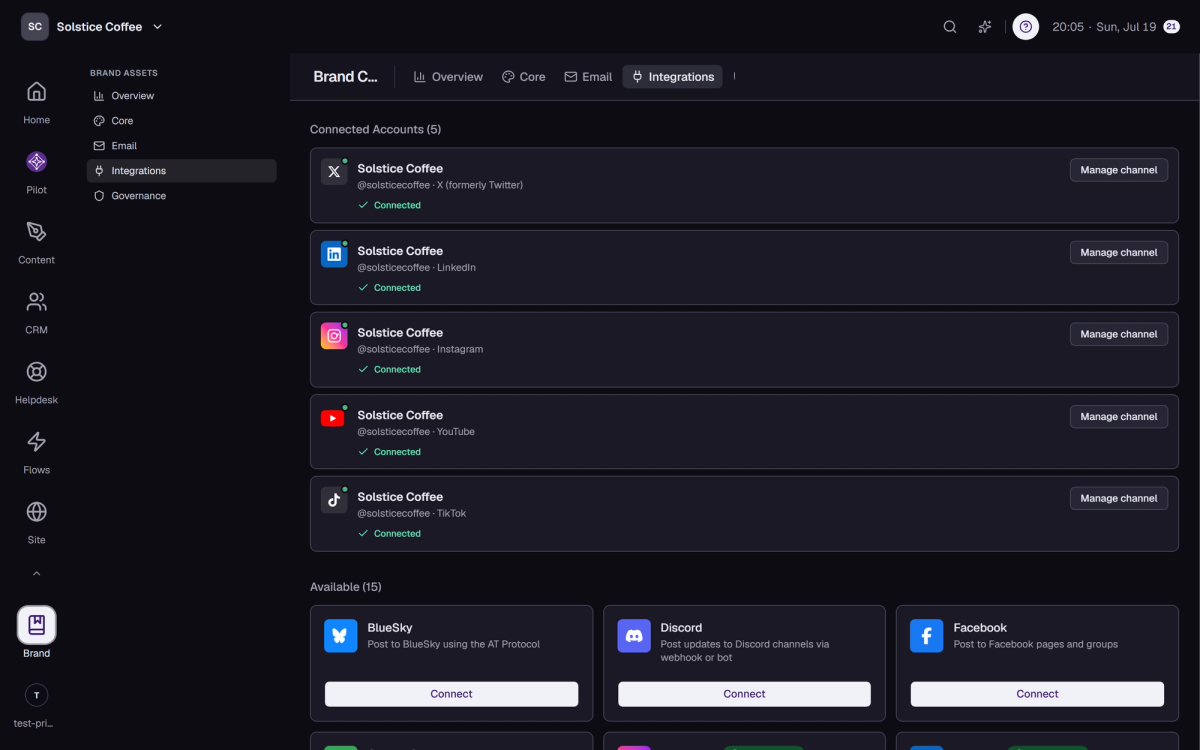
Open the channel from Brand's Integrations tab and choose Disconnect. Only admins and the owner can do this, and the card says so if you can't.
Scheduled posts become drafts
Posts scheduled to that channel return to Draft and their daily post allowance is refunded. A post caught mid-publish is marked Failed instead, so you know it didn't go out.
Reviews are tidied up too
A post waiting for review with no channels left returns to Draft, so nothing sits in an approval queue it can't finish.
YouTube also removes imported videos
Disconnecting YouTube deletes the videos Medal Social imported from that channel, as YouTube's terms require. Your videos on YouTube itself are untouched.
FAQ
Disconnect questions
Does disconnecting delete my published posts on the platform?
No. Anything already published stays on the platform. Disconnecting only removes Medal Social's access.
Can I reconnect later?
Yes, anytime. Run Connect again from the Integrations tab.
Why can't I see the Disconnect option?
It's admin-only. Ask a workspace admin or the owner.