What is the Email Studio?
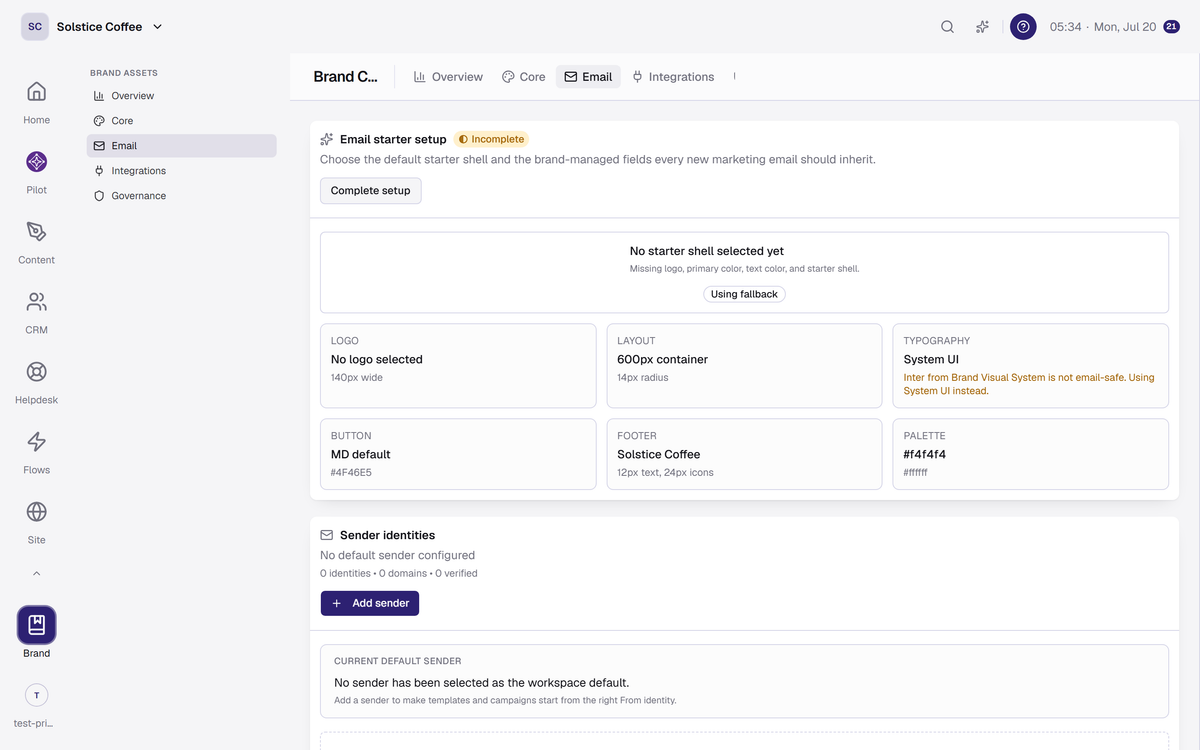
The Email Studio turns your brand into email design: a starter shell, email-safe fonts, sender identity, and your kit's palette applied to what you send.
On this page
A starter shell in your brand
Emails start from a branded shell built on starter templates, so a blank email already looks like you before you write a word.
Email-safe fonts
Email clients support few fonts. Your font choices resolve to the closest email-safe family, so designs hold up in every inbox.
Sender identity and domains
Set the name your emails come from and manage the sending domains for your workspace, all in one place.
Design bundles
Admins can save email designs as named bundles and reuse them, so campaign emails stay consistent without rebuilding.
FAQ
Email Studio questions
Why does my font look different in some inboxes?
Inboxes support very few fonts. The Studio resolves your choice to a supported family so the design stays close everywhere.
Who can change design bundles?
Admins and the owner. Members use them.
Where do the colors come from?
Your brand kit. The kit's palette is applied to email designs automatically.