How do I connect a channel?
Connect a social account once from Brand's Integrations tab, approve access in the platform's own window, and every tool in your workspace can publish to it.

On this page
Open the Integrations tab
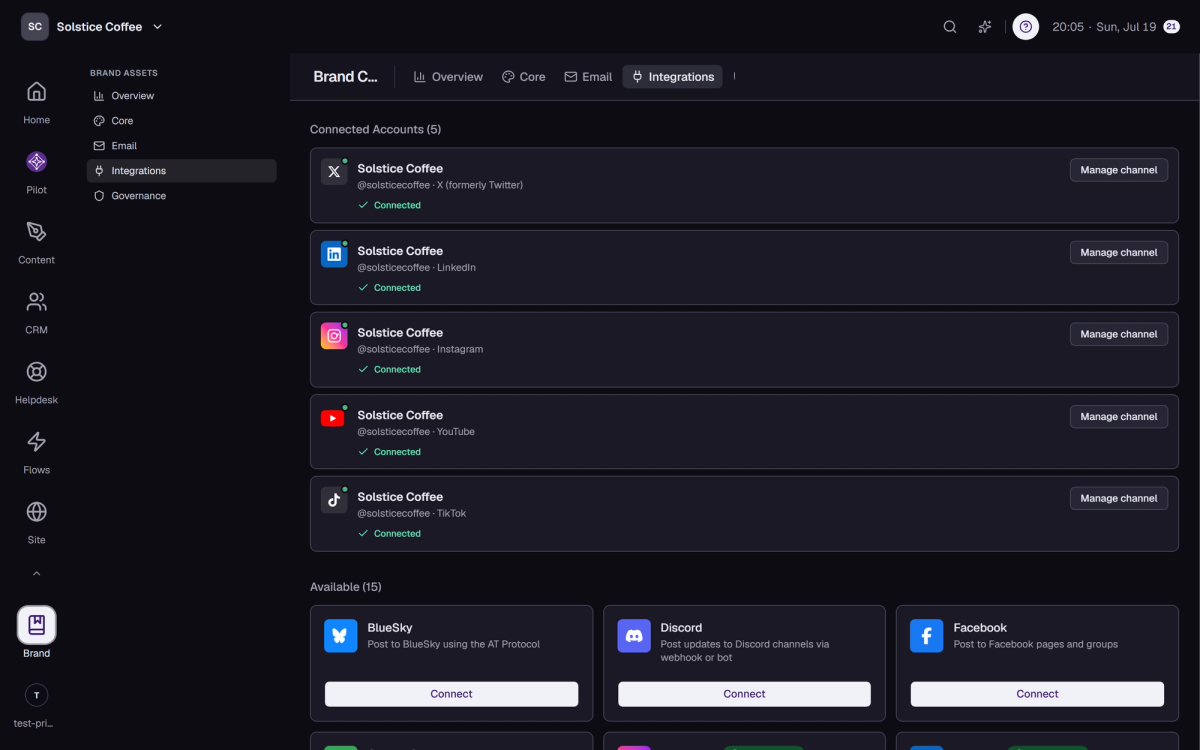
In Brand, switch to the Integrations tab. Your connected channels sit at the top, with every platform you can add below them.
Pick a platform
Choose a platform and select Connect. A window opens on the platform's own site, where you sign in and approve access.
Approve and choose the account
Some platforms ask which page, profile, or organization to connect. Pick the one you want, and repeat the flow to add more accounts.
Telegram, Discord, and Substack work differently
These three connect through their own dialog instead of the standard window, and the dialog walks you through each step.
You're set
The new channel appears under your connected channels and shows up as a publishing target in the composer right away.